Showing posts with label Clipping mask. Show all posts
Software makes the difference in the type of editing. The choice of software must be right if you want the right photo editing. All the tips and tricks go in vain if the photo editor doesn’t have the knowledge of the right software.


To accomplish the perfect editing, the editor must have the complete knowledge and view of the software that he is using. Software that has easy navigation is the most perfect that has the capability to bring great results.

Software that most of the designers use is the versatile Corel Draw. Various designers have claimed it to be the best software in the market ever after Photoshop. Smooth editing, easy navigation and 100% quality results are few of the features of this software. With the completed work, you can save it in any format as you wish for! However, it is the choice of every beginner and professional to do right photo editing by spending as much time as you want.

For those designers who are working at pro levels, Corel Draw and Photoshop are the best software to use. Raster to vector conversions is beautifully done in Corel Draw and the scope of graphic is on a wider scale. Right from the editing to designing, these software offer the best results.
Happy photo editing!

A leading Image Background Remove, Retouching and image shadow provider for Photographers,Online Retailers,Advertising Agencies. More : http://clippingpathking.com/

Professionalphotography is the success meter of an online brand that can bring in a lot of business without much ado. Customers take your website seriously only if you are serious about what you are offering. Perfect photography is the first impression so try to create stunning images. Let’s take a look on these steps and take photography to a new level:

Proper Light

Lighting plays a major role in displaying the right colors and features of a product. Consistent lighting elevates your product and makes it look more appealing. You can click a nice photo using proper lighting. If natural light is not present, then you can create beautiful artificial light using some external flash of your camera.


Keep Focus on the Object

Focussing on the object is highly important to capture great shots. Focus on the centre while shooting product photos because wider aperture is needed for that. Wider aperture will make sure to separate the object from the background thus giving you more beautiful backdrops.

Take Several Shots

It will save the editing time that you have to put in later on. During photoshoot, first of all take some test photos to make sure that the lighting, aperture or lens is appropriately set. Take several shots to save some time because if one picture doesn’t look that good, you will always have the option to use another picture with perfect settings.

Keep Experimenting with Different Shots to get One Perfect Picture

Photography is intimidating so you have to take few shots unless you don’t get one perfect shot. Experiment with pictures and try to find the perfect shot that suits best to you. Apply these steps and no one can stop you from getting stunning pictures in no time.

Happy photography!!


Clipping path is a tool used in Photoshop to cut out objects or people. It allows user to create image files with transparent backgrounds for use in print layouts-whether magazine, brochure or book layouts-in software program also. It is basically a vector path which helps in displaying only a part of image contained within the path that will appear in your layout programme.


Just follow these steps to create clipping path in Photoshop:

  • Choose an image to design or edit in Photoshop.
  • Open Photoshop.
  • Open the image into Photoshop.
  • Draw clipping path.
  • Remove the background by pressing Ctrl+enter.  Inverse and continue by pressing delete button to cut out background.
  • Fill the background with white color using bucket tool. This is a necessary step for users who want to use image as online content or for e-commerce site.

Following this method can make you a perfect clipping path and remove product image background. Have a good day!!


Clipping path services help to remove the background of an image using pen tool in Photoshop. Clipping path companies make sure to deliver the flawless services by helping the people around the web. Such companies offer perfect solutions to complex pictures also. These experts have sufficient sources and resources to offer to their customers.


Clipping path allows the images to look beautiful in less time and you can also add extra effects later on as per your choice. New background can be added to the images using various tools in Photoshop to add a sense of uniqueness to the images. After using clipping path to remove the background, other editing services can be used effectively. Magic wand, extract filter and quick mask are some of the quick options to add a crispy element. And this is only possible if you hire a clipping path expert to toil on your projects. So there is no match in quality when you have hired a professional for clipping path services .


Do you know when and how to use image masking in Photoshop? Well, if not, this article is for you only! To put simply, image masking is a technique to hide a specific portion of an image using Photoshop tools. It is quite simple to understand even for the people unaware of the graphics industry.
Clipping masks and layer masks are used in combination to carry out the whole masking process and it depends upon the type of image that you want to apply the mask on. Let’s take a look on the types of image masking techniques:


Layer masks and clipping masks are two types of masking. Clipping masks are used to assign the transparency levels to an image whereas layer masks imply hiding the specific portions assigning the grey, black or white values. It needs proper knowledge and applying technique as a beginner can find issues.


CippingPathKing.com is well versed with the techniques of image masking and here you can find best photo editing deals under your budget.

  •  We offer quality services as we believe in keeping our customers satisfaction to the top level.
  • 100% satisfaction is guaranteed and so we offer top notch results.
  • Revisions are made unless you don’t feel satisfied with the work.
  • Free trial service is offered to help you gauge our skills.
  • Timely delivery is made thus ensuring flawless results.
  •  Special discounts are offered on bulk orders and new customers.
  •  Complete privacy is maintained.

Have a good day!!


Clipping Path Services are Beneficial for Background Removal


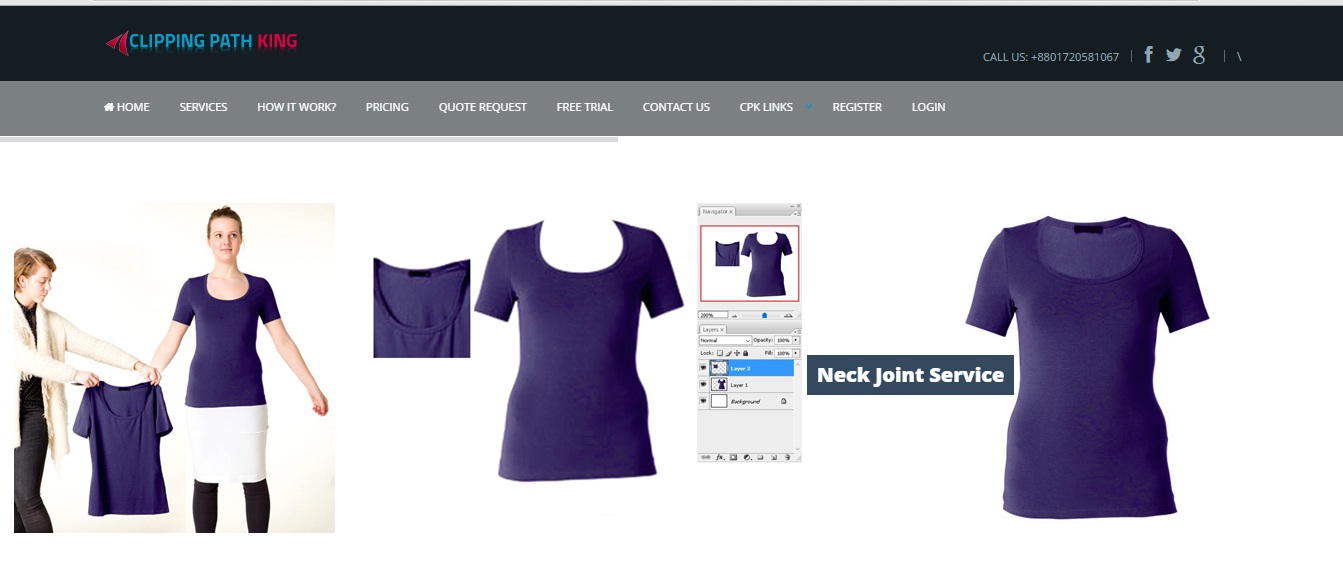
Clipping Path King is an established company for photo editing services. The company deals in every type of photo requirements i.e. color correction, clipping path, photo editing, background removal, adding shadows or reflections, adding white backgrounds and much more that you cannot even think of. Other image editing services like ghost mannequin, neck joints, editing the images for online portals are also offered by the company at affordable prices.

Why choose Clipping Path King


Now with the advancement of Photoshop versions, the old methods to cut out or knock off any background are made easy with the help of clipping path. In the era of digital photography, you always feel the need to edit the image background in case of any flaws. So here Clippingpathking comes in scene to offer their remarkable clipping path services to make background adjustments in the image. Clipping path services give a variety of advantages to the businesses or online portals in becoming successful after removing the backgrounds from their product images.

So hire the services of www.Clippingpathking.com to get the best results.

Best eCommerce Product Photo Editing Services Provider Company


ClippingPath King is the expert company offering image editing services, located in Bangladesh. Photo retouching, color correction, adding shadows or any other type of image processing work is done here at pocket friendly prices. We offer free trial services for 2 images so that you can feel satisfied with the work done and make a decision on whether or not to hire us. Quality is guaranteed, fast delivery is offered and proper customer support is taken care of.

Clipping Path King Experts Team and Services


Clipping Path King has well versed team of experts that work on your images in order to deliver the best results within the deadlines. For the new clients, discounts are offered. Also, on bulk orders, special discounts or packages are offered. Just place an order with us specifying your requirements and one of our team members will get back to you within the shortest possible time.

Clipping Path King Customer Satisfaction 

We believe in delivering work that is actually liked by our clients because we want to build a long term association. Not only we make sure to deliver the best results, but also make our clients happy with flawless services. We do what you want to meet your expectations in every possible manner we can.

Take out sometime to explore our website and get to know something more about us: www.clippingpathking.com/

Photoshop is a very easy to use tool even for the beginners. In Photoshop layer mask in used to control the transparency of a layer. Sometimes you have to reveal or hide some portions of an image and that can be achieved only with layer mask. While opacity is also an option in Photoshop to control the intensity of a layer, but using a layer mask is flexible to work in order to show what you want and what you don’t. And interestingly, you will not lose even a single pixel of the image using layer masks. 


You must definitely use layer mask if you want quality results. When you add layer mask to any layer, the whole area gets covered with grayscale canvas (invisible). You will of course not see immediate results after applying layer mask to any layer until it’s actively selected at that time.
The invisible canvas that covers the entire area can be painted in black, white or gray color. Whatever color you paint the area with will tell Photoshop about the level of opaqueness. It implies that the dark the color will be the invisible the area will be. Black color means 0% level of opacity and white shows 100% opacity. 
 We also do layer mask for remove white background and other photo Editing purpose.


Well, you all must have used Photoshop for your photo editing needs. But have you used all the tools that are offered by this wonder software? I guess not, because no one can ever do that in little time. Photoshop is so vast that one can never get their hands on each and every tool. 


So let me tell you about the efficient ways to remove product background using various ways. To start with, let’s read about clipping path at first. This technique involves use of pen tool that creates a rough outline around the object and then a path is created. Using this method removes background of the images but this is not so easy to use. Dealing with hundreds of images may seem impractical with pen tool as I already mentioned that it is not so easy.
Next, you can use background eraser tool to remove background. Get your hands dirty on the eraser tool and delete the images in one go. But the limitation is that the complicated backgrounds need some time to get removed so don’t panic if you take time.
Apart from these tools, magic wand is also a great pick. Simply select the background using magic wand and then refine the edges for smooth and finished look. All the tools are efficient in their own ways to choose one that suits your requirements.


Photoshop CS3 is used widely by everyone who have not updated to the newer versions. Today I am going to teach you how to remove thebackground of an image in Photoshop CS3. Various ways are there to do this task, but let’s see this method first 


  • 1. Open Photoshop CS3.

    2. Load your image for which you want to remove the background.

    3. Create a duplicate layer of the original layer by clicking on layer>duplicate layer.
        Hide the background layer.

    4. Go to “edit in quick mask mode” at the bottom of the toolbar. 

    5. Press D as it will reset the colors to black and white.

    6. Pick the brush to hide the areas that you don’t want. Highlight the areas that you want to            remove and that you want to keep. 

    7. Simply put, you have to paint the background black by highlighting it and get rid of that area.
    Once when you are done with the painting, go to “edit in standard mode”. 

    8. This option is located in the toolbar next to quick mask mode. Clicking this option will create a selection of what you don’t want in the image. Hit Delete and there you go!!

    9. Or you can use the eraser tool to remove the background by duplicating the original image.

    Other than this method, you can also use magic wand tool and clipping path for background removal. Have a great day!!